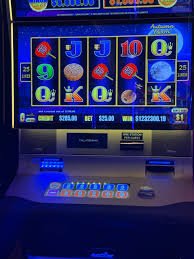
utama Brings Indonesia Games and Wallets Together
utama puts Live Blackjack Royal, Aviator Fast Round, slots and football markets beside DANA, OVO, GoPay and QRIS, giving you…

Familiar payment chips for Indonesia
and Indonesia payment rails are described as service context, where local law permits.

Built for phones, clean on desktop too
Cards, tables, FAQ and policy pages stay readable on small screens so you can find information on any device.
Browse Casino and Slots From Home
Casino and slots open from separate home-page rows, so you can move directly to live tables, reel games or quick rounds without searching through unrelated categories.








Open Your Account Through Clear Steps
A phone number starts your account path, followed by the verification prompt shown before account access. We keep that sequence visible from the home page so you know whether the next step is entering your details, confirming your phone or returning to the lobby. Once verification is complete, the same account connects casino categories, sportsbook markets and supported local wallets.
Use accurate personal and payment details because withdrawal checks compare the destination with your account record. If a code does not arrive or a field remains incomplete, head to account help beside the cashier path rather than repeating the form.
Check What One Home Page Connects
Switch Between Live Blackjack and Slots
Live Blackjack Royal gives you a dealer-table route beside live baccarat, roulette and Dragon Tiger, while Aviator Fast Round and Fishing War Mobile Play cover shorter game sessions. We separate live tables from slots because their screen and connection needs differ. A live table carries video, betting controls and round timing, whereas a slot or fast-round title loads a lighter
game panel. On a smaller screen, the controls remain below the game area so they do not cover the action. Returning home preserves a clear route to the other categories, wallet status and sports markets.
Explore Casino and Slots by Category
Check DANA and Bank Transfer Status
DANA and QRIS provide direct local wallet choices, while OVO and GoPay appear with their own transaction status rather than sharing an unclear wallet label. For a deposit, choose the rail, enter the displayed amount and confirm the destination details before sending funds. Bank transfer and virtual account routes can show BCA, BRI, Mandiri or BNI context when applicable. Withdrawals
require an account and destination check before processing begins, and timing can differ by wallet or bank. Keep the payment receipt until the cashier status changes; its reference helps us trace a transfer if the balance has not updated.
See How We Handle Your Account
Phone verification, named payment rails and visible policy paths give you facts that can be checked before you enter a game.
Phone Verification
We show the phone confirmation step before account access. This links the number you provide to the account path and gives support a clear reference when an access code stalls.
Named Payment Status
DANA, OVO, GoPay and QRIS retain separate labels in the cashier. You can identify the selected rail and check whether its transaction is awaiting action or has moved forward.
Visible Policy Access
Fair Play Policy is available through the home policy path, alongside the account terms that apply to access and transactions. Read them before submitting personal or payment details.
Category Separation
Live tables, slots and sports use distinct home-page routes. That structure helps you confirm where a link goes before opening a game, market or payment screen.

Take the Home Lobby Across Screens
One mobile path carries you from account access to the home lobby, game categories and cashier without requiring a separate app. QRIS is particularly practical on a phone because the cashier presents the payment route beside your transaction details, reducing unnecessary menu changes. Live tables adapt their video and controls to a smaller screen, while slot search and category rows
stay within thumb reach. On a larger screen, the same account exposes wider game rows and more space for live-table controls. If your connection changes, return through the home control and check account status before submitting a payment again.
Choose DANA, OVO, GoPay or QRIS
Four local payment choices are presented individually so you can select the wallet you actually use.
Discover Casino and Slots Beside Sports
Casino and slots remain one step from the home navigation while football, badminton and basketball sit within the separate sportsbook area.
Protect Your Phone and Wallet Details

Phone verification creates the first account-access check, but the details you control remain equally important. Use a unique password, keep verification codes private and confirm that you are on utama.asia before entering account or wallet details. We compare withdrawal destinations with the account record, so mismatched names or payment details can pause processing while the destination is checked. Avoid sharing
screenshots that expose codes, full wallet details or account credentials. If an unfamiliar status appears, leave the payment screen unchanged and use the account-help path from home. This preserves the transaction reference needed to examine what happened.
Get Help From the Home Path
Account help sits close to the cashier because login codes and wallet status are often connected to the same session. Before contacting us, keep the phone number linked to your account, the payment method name and any receipt reference available. This lets us distinguish a DANA transfer from an OVO or bank transaction without asking you to repeat the payment. For game-loading concerns, include the title, device type and whether the issue occurred before or after the round opened. Do not send passwords or full verification codes; our account checks do not require those credentials.
Account Access Help
Use this path when phone confirmation stalls or your verified details do not open the lobby. Keep your linked number available, but never send us your password or full verification code.
Payment Receipt Check
Choose payment help when a DANA, OVO, GoPay, QRIS or bank transaction remains unchanged. Share the method, amount, time and receipt reference so we can identify the transfer.
Game Loading Help
Tell us the exact game title, device type and point where loading stopped. Those details help separate a connection issue from a session or game-screen problem.
Read Fair Play Policy Before Access
Fair Play Policy explains the standards connected to game access, account conduct and disputed activity, and its link remains available from the home policy area. Read the account terms as well, particularly the sections covering identity checks, payment ownership and withdrawal destinations. These rules matter before you fund an account because submitted details may need to match the wallet or
bank route used later. Our home page also points you toward account tools and support rather than hiding them inside a game screen. Availability in Indonesia depends on local law, so confirm that you may access the service from your location.
Find Answers About the utama Home
The questions below cover the practical checks people make before opening an account from our home page: available games, phone verification, local wallets, bank routes, mobile behaviour, withdrawal checks and help paths. Each answer points to a visible step rather than asking you to assume how the service works. Start with account access if you are new, then check the cashier method you intend to use. If a transaction already exists, keep its receipt reference and avoid creating a duplicate while its status remains unchanged. Access to the casino and sportsbook depends on local law.